How to Build an Online Store for a Small Business
By Sam Codes · · 10 min read
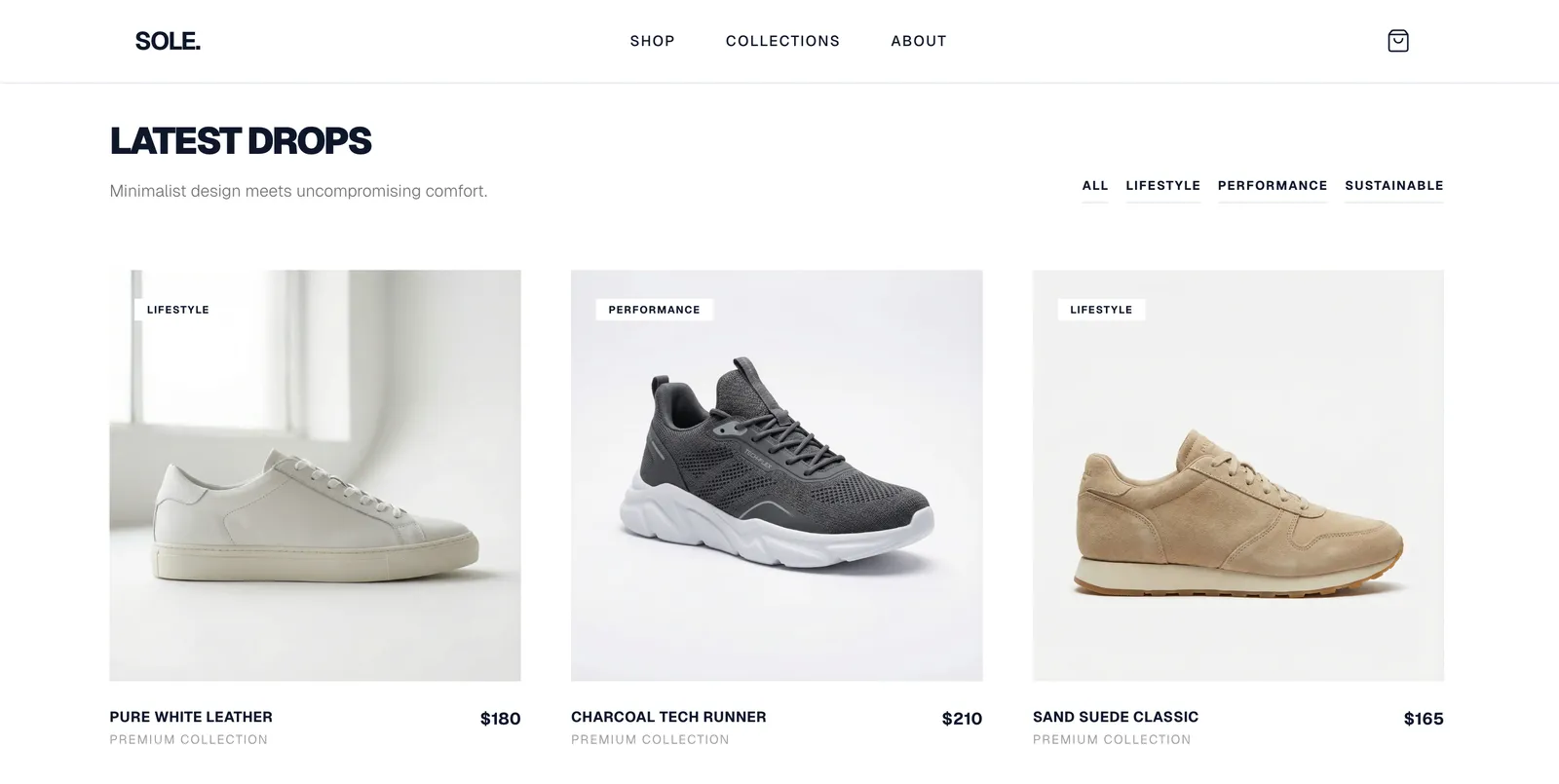
By the end of this guide, you will know how to build an online store that lets customers browse your products, pay you, and arrange pickup or delivery. You will also know when a dedicated store platform like Shopify makes more sense than a website builder.
Most small businesses do not need a complex ecommerce platform. A clean product page, a clear price, a payment link, and your contact details will get the first sales. This guide walks through exactly that, step by step.
First: is a full store what you actually need?
Before you spend a week building an online store, it is worth asking whether that is the right tool for where you are now. If you sell a handful of products locally, a simple website with product descriptions and a way to pay (even a payment link) may be enough to start. If you are scaling to dozens of products, managing inventory, or processing high volumes, a dedicated ecommerce platform will save you time.
The honest answer: for most small businesses just starting to sell online, a simple website with a shop section is the right move. If you outgrow it, you can upgrade later.
| Situation | Recommended approach |
|---|---|
| Fewer than 20 products, selling locally or occasionally | Website with a simple shop section |
| Products with variants (size, color) + regular orders | Website with shop features or entry-level Shopify |
| 50+ products, inventory management, international shipping | Dedicated store platform (Shopify, etc.) |
| Services + occasional physical products | Website with a simple payment or booking link |
Step 1: Set up your products and write descriptions that sell
Your product page is where the sale happens or does not. A great product page has a clear name, a good photo, a helpful description, and the price. A poor one has a blurry photo and a one-line description.
For each product, write two to three sentences that answer: what is it, who is it for, and what makes it worth buying. Avoid generic filler like "high-quality" without backing it up. Specific details (materials, dimensions, how it is made) convert better.
Product photos
You do not need professional photography to start. Good natural light, a clean background, and a modern phone produce photos good enough to sell. Take at least two shots: one of the product by itself, one in use or in context.
- Shoot in daylight near a window
- Use a plain white or neutral background for product-only shots
- Include at least one lifestyle or in-use photo where relevant
- Show scale if size is important (next to a hand, a ruler, a common object)
- Compress to under 300KB per image so pages load fast
Product descriptions
Lead with the benefit, then the specifics. "A hand-poured soy candle that fills a room in under 10 minutes" is more compelling than "soy wax candle, 200g." Then list the specifics: materials, size, burn time, scent. Write for a customer who cannot touch or smell the product.
Step 2: Set your prices and display them clearly
Every product needs a visible price. Hiding prices or making customers "contact for a quote" on standard products kills conversions. If you have variable pricing (custom orders, bulk discounts), show a starting price and explain the variables.
Think about your pricing structure upfront: will you charge flat shipping, free shipping over a threshold, or local pickup only? Decide before you build the checkout so you do not have to redo it.
- Show the price on every product page and listing thumbnail
- If you offer multiple sizes or variants, show the price for each
- Decide your shipping approach before you set up checkout (flat rate, free over threshold, local pickup)
- If you offer a discount for bundles or repeat orders, show that clearly
- Be transparent about any extras (shipping, tax) so there are no surprises at checkout
Step 3: Set up payments
You need a way for customers to pay you. The simplest approach for a small business website is to use a payment link or an embedded checkout from a service like Stripe, PayPal, or Square. These handle card processing without you needing to build a custom checkout.
Most modern website builders with shop features include payment processing built in. You connect your Stripe or PayPal account, and the checkout is handled for you. You receive payments directly, minus a small processing fee (typically around 2.9% + a fixed amount per transaction for card payments).
- Connect a payment processor (Stripe, PayPal, or Square) rather than handling card details yourself
- Offer card payment at minimum; PayPal as an option increases trust for some customers
- Understand the payment processing fee before pricing your products (typically ~2.9% + $0.30 per transaction)
- Some website builders also add their own fee on top of processing fees; check before you choose
- Send an automatic order confirmation email when someone pays
Step 4: Handle shipping and local pickup
Shipping is where many new online stores get tripped up. Keep it simple to start: offer one or two shipping options (standard, express) with flat rates, plus a local pickup option if relevant. You can add more complexity once you understand your order patterns.
Be upfront about shipping times on your product pages and checkout. "Usually ships in 2-3 business days" manages expectations and reduces "where is my order?" messages.
- Start with flat-rate shipping rather than calculated rates (simpler to set up and manage)
- Offer free shipping over a threshold if your margins allow it (it is a proven conversion booster)
- Include a local pickup option if you have a physical location
- Be clear about your dispatch timeline on every product page
- Consider a basic returns policy even if it is just a sentence: it reduces hesitation
Step 5: Get found when people search for what you sell
Your online store will not generate sales if nobody can find it. The basics of getting found are not complicated: use your product names and descriptions as real text (not images), give each product its own page with a descriptive title, and claim your Google Business Profile if you sell locally.
For products with local demand, mention your city or area naturally in your content. For products with national demand, think about the exact phrase a buyer would type into Google ("handmade soy candles UK," "custom leather belts," etc.) and make sure those words appear naturally on your pages.
- Give each product its own page with a descriptive title (not just a product code)
- Write product descriptions as real text, not just a bulleted spec sheet
- Include your product category and location in page titles where relevant
- Set up Google Search Console so you can see which searches bring people to your store
- Ask satisfied customers to leave a Google review if you also have a local presence
When to move to Shopify instead
Shopify is the best dedicated ecommerce platform for businesses that sell a lot. If you are managing dozens of products with multiple variants, processing regular orders, running ads, and need detailed inventory reports, Shopify is worth the higher starting cost (around $29/mo).
For most small businesses starting out, a website with a shop section is simpler and cheaper. You can always migrate to Shopify later if your volume demands it. The key question: is selling the whole point of your website, or just one part of it? If selling is everything, go Shopify. If you also need a professional presence, a portfolio, or a service page alongside a small shop, start with a website builder.
- Go Shopify when: you have 50+ products, need detailed inventory, or are running serious ad campaigns
- Stay with a website builder when: you have fewer than 20 products and also need pages, a portfolio, or services
- Either way: do not over-engineer early, start simple and upgrade when you actually need the complexity
How Looops makes setting up your store easier
Looops lets you describe your shop in plain English and builds the pages for you. You can add product listings using the built-in content manager, set up a contact or order form, connect a payment link, and publish everything in one click. For businesses that need a shop alongside a professional website (portfolio, services, about page), Looops handles both without switching tools.
Forms work out of the box for custom order enquiries. The built-in database makes it easy to manage your product listings yourself. Custom domains give you a professional address. One-click publish puts it all live with fast hosting included.
- Chat to Build: describe your shop, get a full site with product pages in minutes
- Built-in database: manage your product listings yourself without code
- Forms: order enquiry and contact forms that email you
- Custom domains: your own professional .com address
- One-Click Publish: hosting and security handled
- Works alongside services, a portfolio, or a blog on the same site
Build your online store today
Describe your shop and Looops builds the pages. Free to start, products live in minutes.
Free plan available, no card required
Frequently Asked
Questions.
Keep reading
Ready to build your website?
Describe what you want and Looops builds it. Free to start, no card required.
Start building free