How to Make a Website for Your Business (7 Steps)
By Sam Codes · · 9 min read
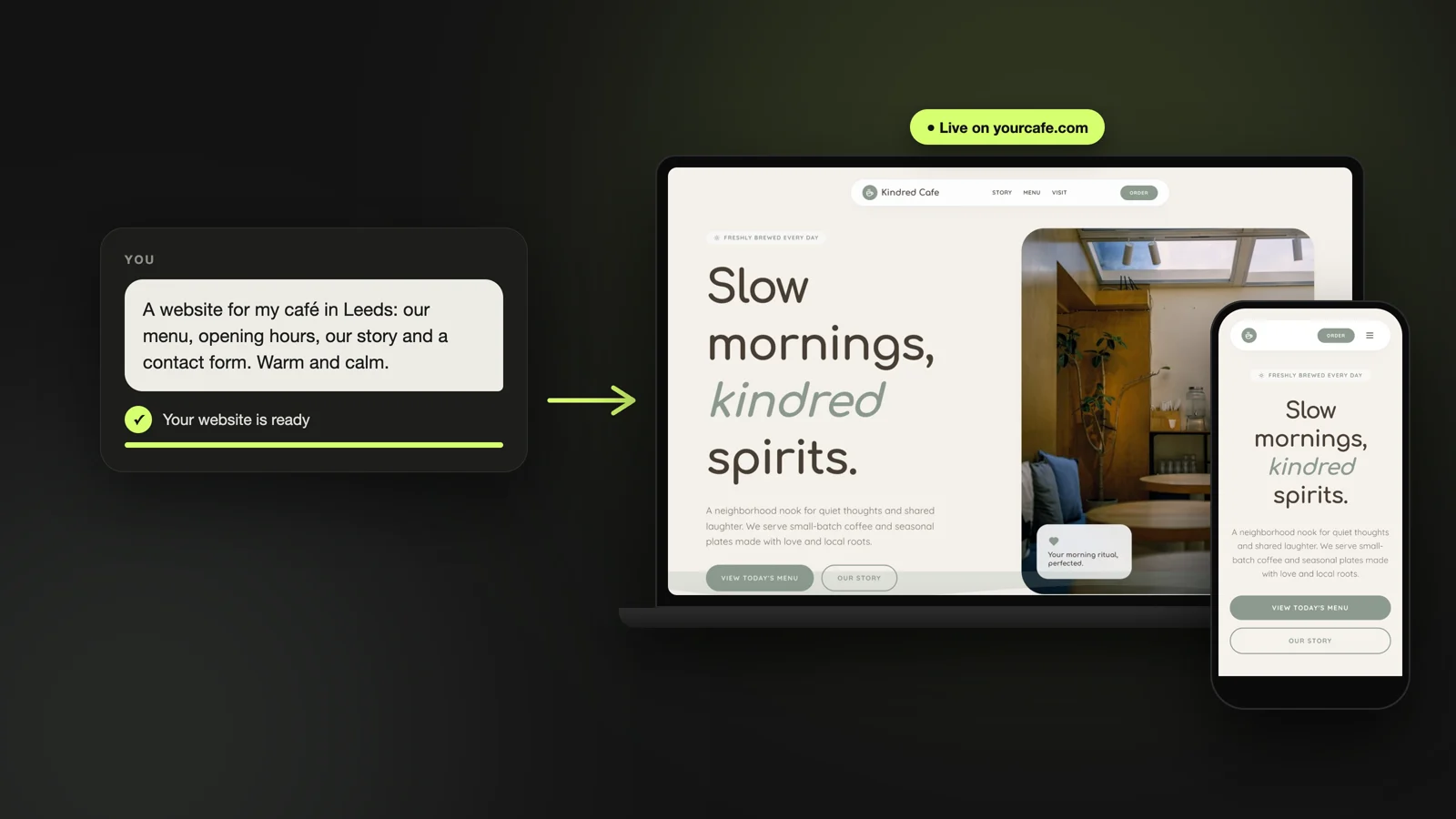
Short answer: decide the one thing your website must get people to do, pick a web address, plan four to six pages, gather your words and photos, build it with a website builder or an AI that builds it for you, check it on your phone, then publish and link it from your Google Business Profile. Most owners can do all of it in an afternoon.
You do not need to know anything technical, and you do not need to spend thousands. What you need is clarity about your business, which you already have. This guide takes you through each step in order, with the decisions that matter and the ones you can skip.
Step 1: Decide what your website must do
Every good business website is built around one main action. Before you think about colors or pages, finish this sentence: "When someone visits my website, I want them to..."
Your answer shapes everything else. It decides what goes at the top of the home page, which button appears on every page, and what you measure later. Pick one main action and, at most, one backup.
- Call you: plumbers, electricians, towing, cleaners
- Book an appointment: salons, therapists, coaches, clinics
- Visit in person: restaurants, cafés, shops
- Send a message or ask for a quote: builders, designers, agencies
- Buy something: makers, online shops
Step 2: Choose your web address
Your web address (also called a domain) is what people type to find you, like bloomnails.com. It is worth paying for: it looks trustworthy, fits on a business card, and stays yours whichever website tool you use later. Most cost around $10 to $20 a year.
- Use your business name, or your name plus your trade or town: bloomnailsleeds.com
- Keep it short and easy to spell out loud over the phone
- Avoid hyphens and numbers people would have to explain
- Prefer .com, or your country's ending (.co.uk, .ca, .com.au) if you serve locally
- Register it in your own name, so it never belongs to a designer or a platform
Step 3: Plan your pages
A small business website usually needs four to six pages. More pages are not better; clearer pages are. Start with these and add only what your customers actually ask about.
Home
One clear line saying what you do and where, a photo that shows it, and your main action from Step 1 as a big button. Someone should know within five seconds that they are in the right place.
Services and prices
What you offer, who it is for, and what it costs, or at least a starting price. This is the page people read most closely, and the one that answers the searches that bring new customers, like "gel nails price" or "boiler repair cost".
About
Who you are, how long you have done this, and why customers come back. A real photo of you or your team does more than any paragraph.
Contact
Phone, email, address, opening hours, a map, and a contact form that sends messages to your inbox.
What extra pages your type of business needs
On top of the four core pages, most businesses need one or two pages specific to what they do.
| Type of business | Add this |
|---|---|
| Restaurant or café | A menu that reads well on phones, reservations or ordering |
| Salon, spa, barber | A price list and online booking |
| Therapist, coach, clinic | Your approach, fees, and a way to request a first session |
| Trades and home services | Areas you cover, photos of past jobs, a quote form |
| Photographer, designer, builder | A gallery or portfolio of your work |
| Shop or maker | Products with prices and a way to buy |
Step 4: Gather your words and photos
This is where most websites get stuck, so do it before you build. Open a note and collect everything in one place.
For the words, write the way you talk to a customer at the counter. Short sentences, plain words, real prices. List your services, your opening hours, the areas you serve, and the three questions customers ask you most often: those become your FAQ.
For photos, real beats perfect. Photos of your actual place, your work and your team build more trust than polished stock images. A recent phone in good daylight is enough. Aim for one strong photo per service and two or three of you or your space.
- Business name, one-line description, and your main action
- Services with prices or starting prices
- Opening hours, address or service area, phone, email
- Your short story: how you started and why people choose you
- Three to five customer reviews, word for word, with permission
- Your best photos
Step 5: Pick how to build it
There are three ways to build a business website today. The right one depends on how much time you want to spend, not on how technical you are.
| Way to build | What you do | Good fit for |
|---|---|---|
| An AI website builder | Describe your business; the AI builds the pages, text and layout, and you change things by asking | Owners who want it done this week without learning a tool |
| A template editor (Wix, Squarespace) | Pick a template, then replace every block and photo yourself | People who enjoy designing and have a few free evenings |
| A web designer | Brief someone, review drafts, pay per project | Larger budgets or very custom needs |
What it costs
Building it yourself with a website builder costs the builder's monthly plan plus your web address. A designer usually charges for the project and often a monthly fee for changes. Our guide to what a small business website costs breaks down each option.
Step 6: Build it, then check it on your phone
Most of your visitors will arrive on a phone, often from Google Maps, so check every page on yours before you publish. Go through this list as if you were a customer seeing the site for the first time.
- Can you tell what the business does within five seconds?
- Is the main button (call, book, visit) easy to find and tap?
- Does tapping the phone number start a call?
- Are the prices, hours and address correct and the same everywhere?
- Do the photos load quickly and look sharp?
- Send yourself a message through the contact form. Did it arrive?
Step 7: Publish, then help people find it
A website nobody finds does nothing, so the work right after publishing matters as much as the build.
- Add the new address to your Google Business Profile, under Edit profile, then Contact, then Website
- Put the same name, address, phone and hours on your site and your profile
- Ask happy customers for a Google review, with a direct link
- Add the address to your Instagram and Facebook profiles, email signature and business cards
- Update your prices and hours whenever they change
Showing up on Google
Our guide to getting your website on Google covers the rest: page titles, Search Console and reviews. And if your Google profile still links to an old business.site address, replace it: Google turned those sites off in 2024.
How Looops helps you make your business website
Looops is an AI website builder made for business owners who would rather run their business than learn a website tool. You describe your business in a few sentences, paste in the details from Step 4, and the AI builds the full site: pages, text, layout and contact form. You change anything by asking in the chat or clicking the part you want different.
When you publish, the search basics are added for you on every plan, and Looops checks your live site afterwards and points out anything that holds it back. You can start free on a Looops address and move to your own domain, bought inside Looops or one you own, when you are ready. See small business website examples for what the results look like.
- A complete site from a short description of your business
- Edit by chatting or clicking, no editor to learn
- A contact form that emails you, on every plan
- Your own domain on paid plans, bought in Looops or one you own
- Search basics on every publish, and a check after each one
Make your business website today
Describe your business and the AI builds the site. Free to start.
Free plan available, no card required
Frequently Asked
Questions.
Keep reading
Ready to build your website?
Describe what you want and Looops builds it. Free to start, no card required.
Start building free