What's New in Looops: November 2026
By Sam Codes · · 5 min read
The third issue of our monthly roundup. October was about people finding your site. This month is about your time: you no longer have to watch a build to know when it is done, content that used to be fiddly is now a simple table, and when something breaks on our side, fixing it costs you nothing.
The short version: Looops can now tell you when your website is ready, recipes and menus are edited like a spreadsheet, old page addresses keep working when you rename a page, and a long list of small fixes makes building steadier.
Get a notification when your website is ready
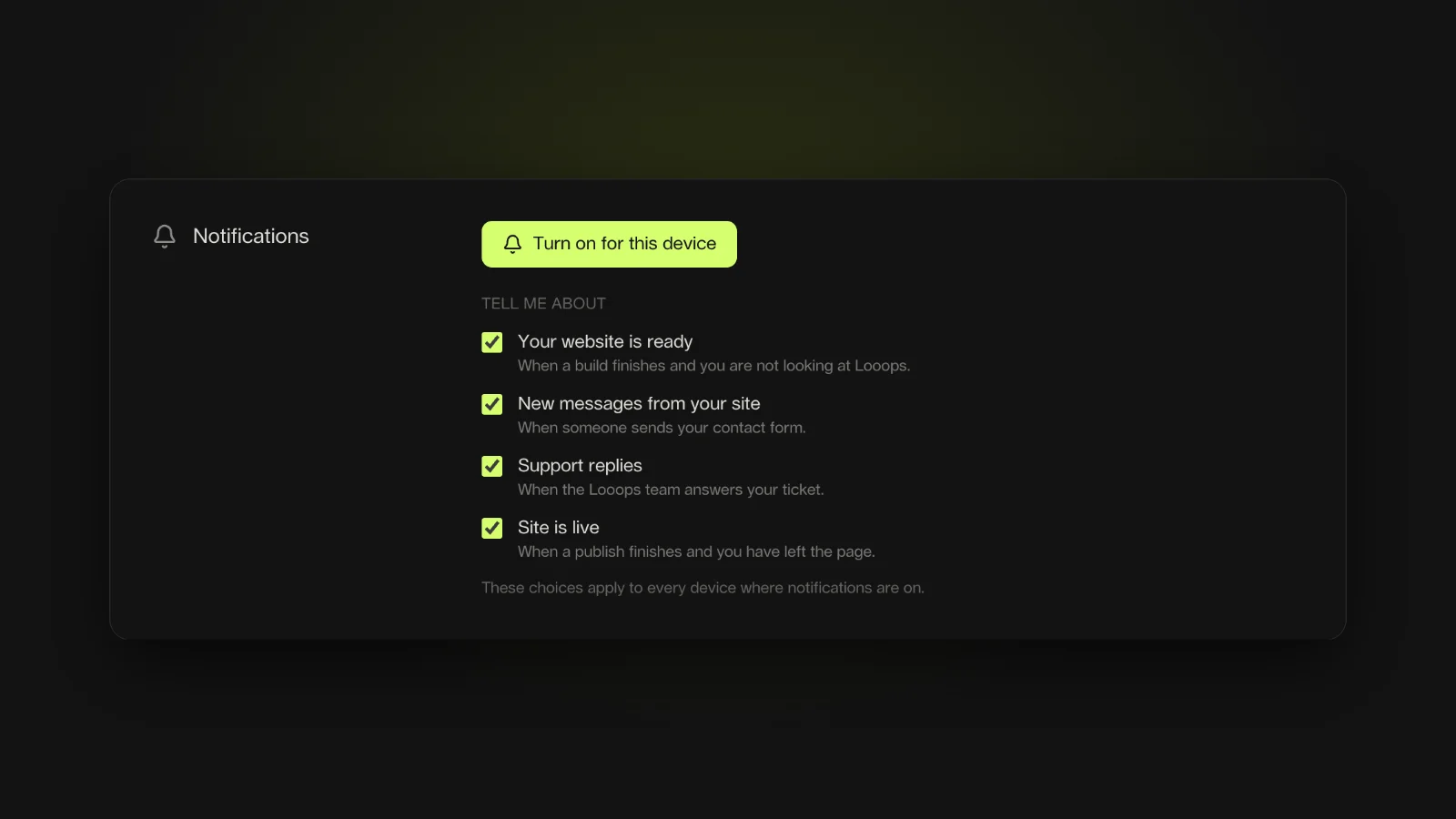
A build takes a few minutes, and nobody wants to sit and watch it. Now you don't have to. The first time Looops starts building, it offers to notify you. Press Turn on, go do something else, and a notification tells you the moment your website is ready. Tap it and you are back in the builder, on that site.
The same switch can also tell you about a new message from your site's contact form, a reply from our support team, and when your site goes live after a publish. Choose which ones you want under Account & profile, in the Notifications section. Notifications work in your browser on computers and Android phones. If you are looking at the builder when a build finishes, you get the usual chime instead, so nothing pings you twice.
Recipes, menus and steps, edited like a simple table
Lists with a shape, like a recipe's ingredients or the steps of a how-to, used to mean editing raw data. Now they open as a small table: one column per part (amount, unit, ingredient, notes), Enter for the next line, Tab to move across, and sections such as For the sauce.
Paste a whole ingredient list and it splits itself: 2 cups flour, sifted becomes 2, cups, flour and sifted, in the right columns. A line ending in a colon starts a new section. Ask the builder for a recipe site and it sets this up for you.
Forwards: rename a page without breaking old links
Changed a page's address from /services to /what-we-do? Links people saved, and the ones Google already knows, would have led nowhere. Now Looops warns you when you rename a page's address and adds a forward, so the old address sends visitors to the new one.
You can manage them yourself in Website settings, under Forwards: old address on the left, new address on the right. They are applied every time you publish, and Looops keeps them safe across publishes.
When the fix is our fault, it is free
Sometimes a publish fails because of a mistake the AI made, not anything you did. When that happens, the Fix it with AI button no longer uses your credits: Looops fixes its own publish error for free, as long as you press it within half an hour of the failure. Running low on credits should never stop you from fixing something we broke.
Required fields, and photos that keep your privacy
In the content editor, any field can now be marked Required in its settings, so a listing or a product can't be saved without its price or its photo. Empty lists, galleries and tags count as empty too.
On new sites, every photo you upload, pick from Unsplash or generate is cleaned on the way in: location data and other hidden details are removed, sideways phone photos are turned upright, and very large pictures are resized so your site stays fast. Same name, same format, nothing for you to do.
Upgrading shows the exact price first
Moving from Personal to Pro now shows exactly what you will pay today, what the renewal costs and when, and charges nothing until you press Pay and upgrade. If your bank asks you to confirm, you go to its own confirmation page, and your plan only changes once the payment goes through.
A free tool: turn any video into a scroll animation
Those product pages where an object turns as you scroll are built from a video cut into still frames. Our new free tool does the cutting for you, right in your browser, so your video is never uploaded anywhere. Try it at Video to scroll animation, then ask Looops to build the page around it.
New pages for your kind of business
We added guides and live demo sites for more trades this month: a salon website page for hair salons, nail studios, barbershops and spas, a therapist website page with honest answers about privacy, and a step-by-step guide on how to make a website for your business.
If your old Google Business Profile website disappeared, your Google Business Profile website is gone, what now? shows how to get a real one back on your listing.
Smaller things that add up
And the changes you will feel without noticing:
- If your site's preview is slow to load, Looops now retries on its own and says so plainly, with a Try again button, instead of showing a code error
- If your project's files can't load, a build stops right away instead of spending credits on changes that could not be saved
- Clicking a link or wrapped text to edit it now finds the right words every time
- The image details panel shows a bigger preview, and Enlarge opens the full picture
- Image edits find the right file even when it was saved under a slightly different name
- Fonts that would never load are caught and fixed while the site is being built
- One account per email address: Sam@x.com and sam@x.com are the same person now
- If a renewal payment fails, you get three clear emails with a button that opens your bill, instead of one email for every retry
Build it, then go do something else
Looops builds your website and tells you when it's ready.
Free plan available, no card required
Frequently Asked
Questions.
Keep reading
Ready to build your website?
Describe what you want and Looops builds it. Free to start, no card required.
Start building free