What's New in Looops: Summer 2026
By Sam Codes · · 7 min read
This is the first issue of a running series: every month or so, one post with everything that got better in Looops. This one covers a very big stretch, so grab a coffee.
The short version: your website can now store real things like bookings and orders, its contact form delivers real email, it can carry an AI assistant that knows your business, and when you build for a client, you can hand the whole site over in one click. Here is all of it, with the receipts.
Your site can have a real database
Sites built on Looops can now store things: bookings, orders, submissions, members, articles. Just ask for it in chat, and the builder sets up the database, wires it to your pages, and keeps it safe when things change. No setup on your side, ever. If bookings are your main interest, there is a full guide on adding online booking to your website.
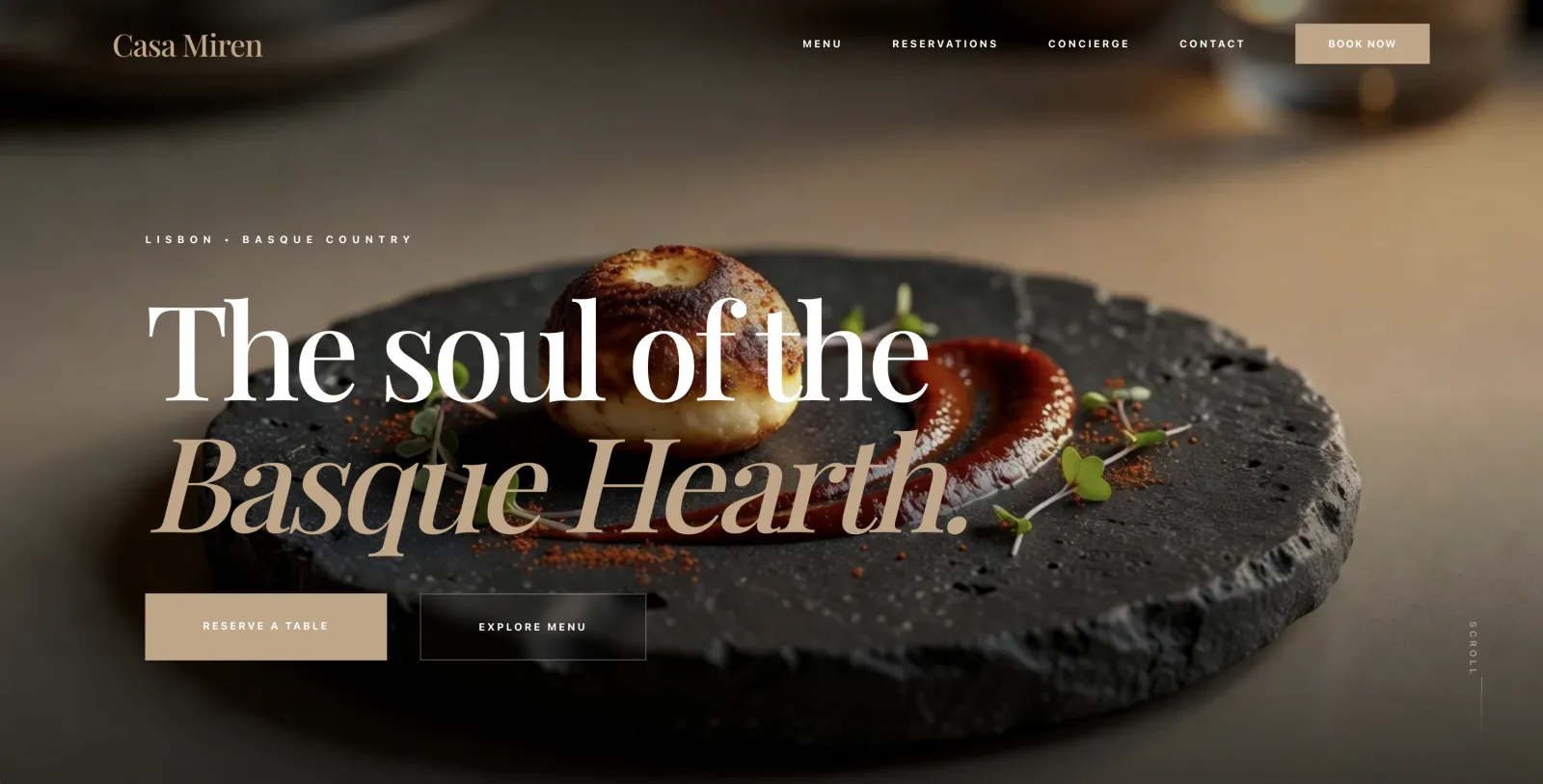
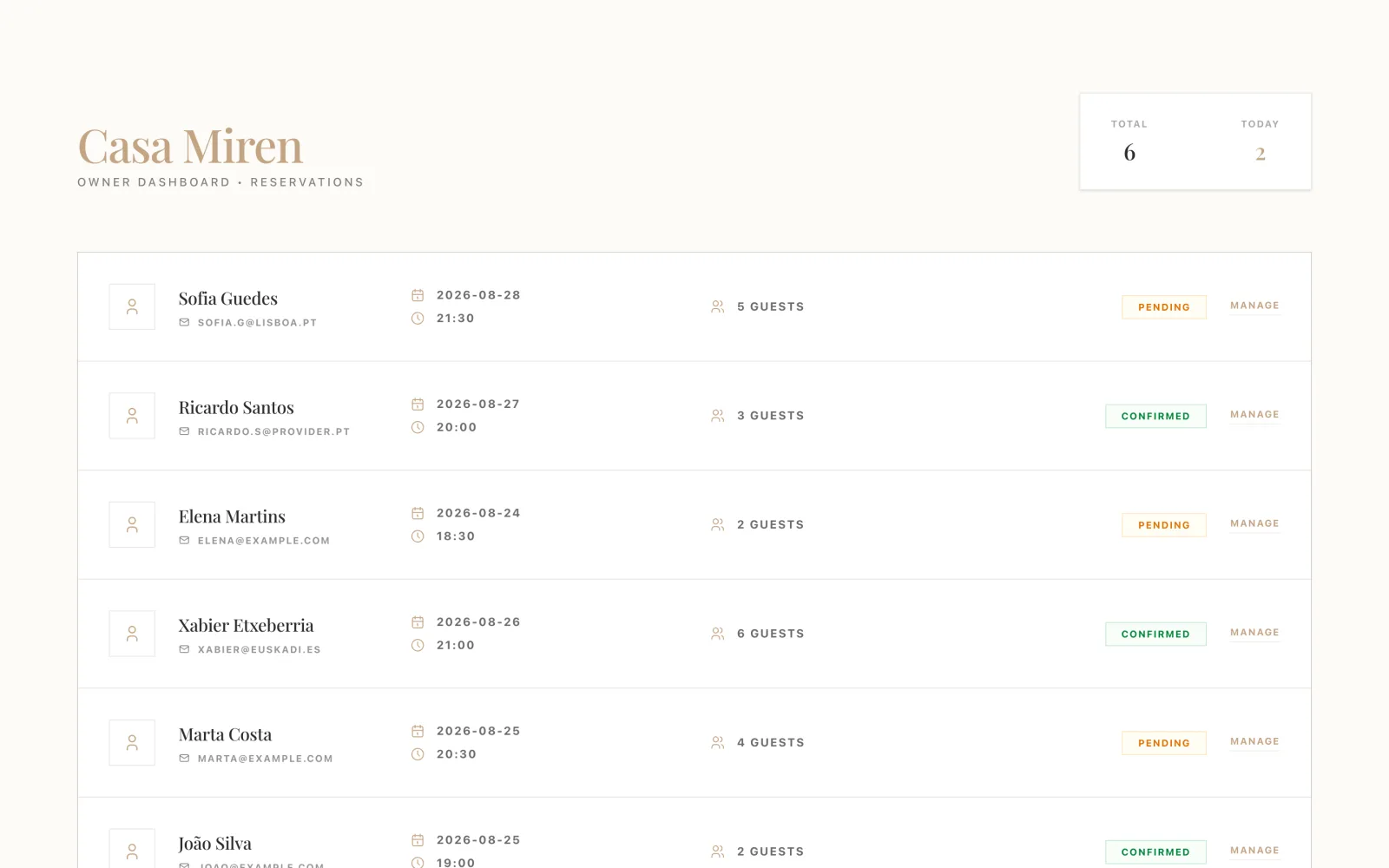
Here is what that looks like in practice. We asked for a restaurant site with a table reservation system and a simple owner area. The reservations land in the site's own database, and the owner sees them in a private dashboard, with pending and confirmed states, built the same way as the rest of the site: by asking for it.
Databases are included with the Personal and Pro plans. You can see exactly what your plan includes on the pricing page.
Contact forms that actually send email
Every published site can have a contact form that delivers real email to your inbox, with spam protection built in, on every plan. No plugins, no third-party form service, no wondering whether messages are silently going nowhere. The full how-to lives in our contact form guide.
And if your site needs to email its own customers, confirmations, replies, receipts, that comes with the Personal and Pro plans.
A built-in AI assistant for your site
Your site can now have AI features of its own: an assistant that answers questions about your business, a generator, a recommender. It is not a chat widget bolted on top. It lives inside your site, knows your content, runs on our infrastructure, and uses your existing credits.
The restaurant site above got a concierge with one request. It answers menu questions, knows the opening hours, and points guests at the reservation system, because it actually knows the site it lives in. We wrote up the whole idea in a website with a built-in AI assistant.
Included with the Personal and Pro plans.
File storage, with honest limits
Sites on the Personal and Pro plans can store files and uploads now, and you can see exactly where you stand: every plan's limits are public, and your dashboard shows live usage per site. No surprises.
Sites simply come out better
We rebuilt how the builder designs. Every site now gets a real design direction instead of a safe template look, thin one-line requests get thought through before building starts, and blog content comes out with actual depth.
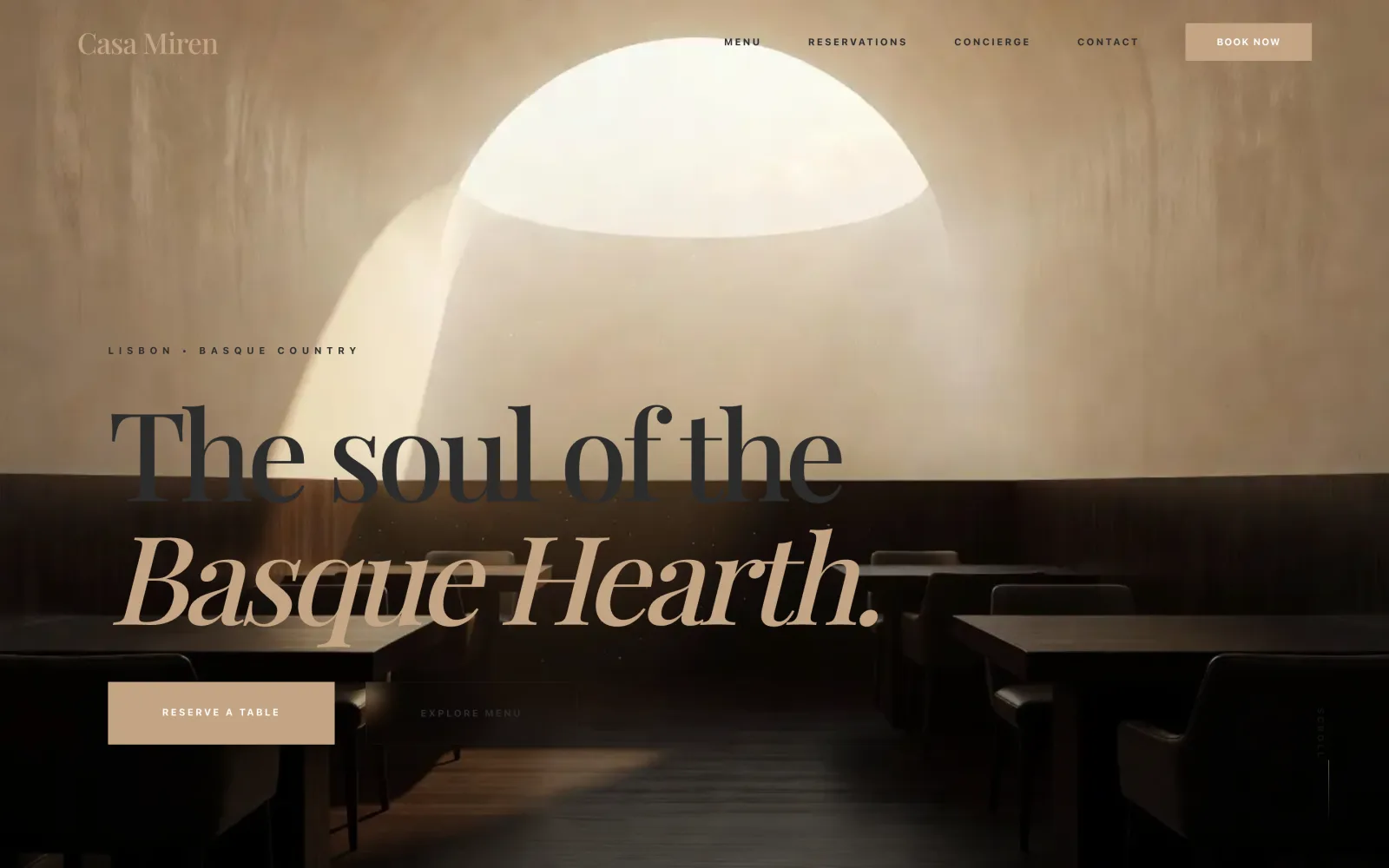
The restaurant hero below came out of the same build as everything above. Same prompt style as June, much better site than June.
Images, video, and clean cutouts
The builder generates images in batches, matches your exact brand colors, and can make videos too. Need a product photo without its background? It cuts it out cleanly. Ask for what you want in plain words.
A new dashboard, and light mode everywhere
Your workspace got a full redesign: cleaner overview of your sites, usage at a glance, and one-click top-ups. And yes, the whole builder now comes in light mode as well as dark. Switch any time from the builder's settings panel.
Point at anything, say what you want
Click any element on your preview and tell the builder what to change about exactly that. Your selections stick around, and comments ride along with your next message. It feels like pointing over someone's shoulder.
Build for a client, then hand it over
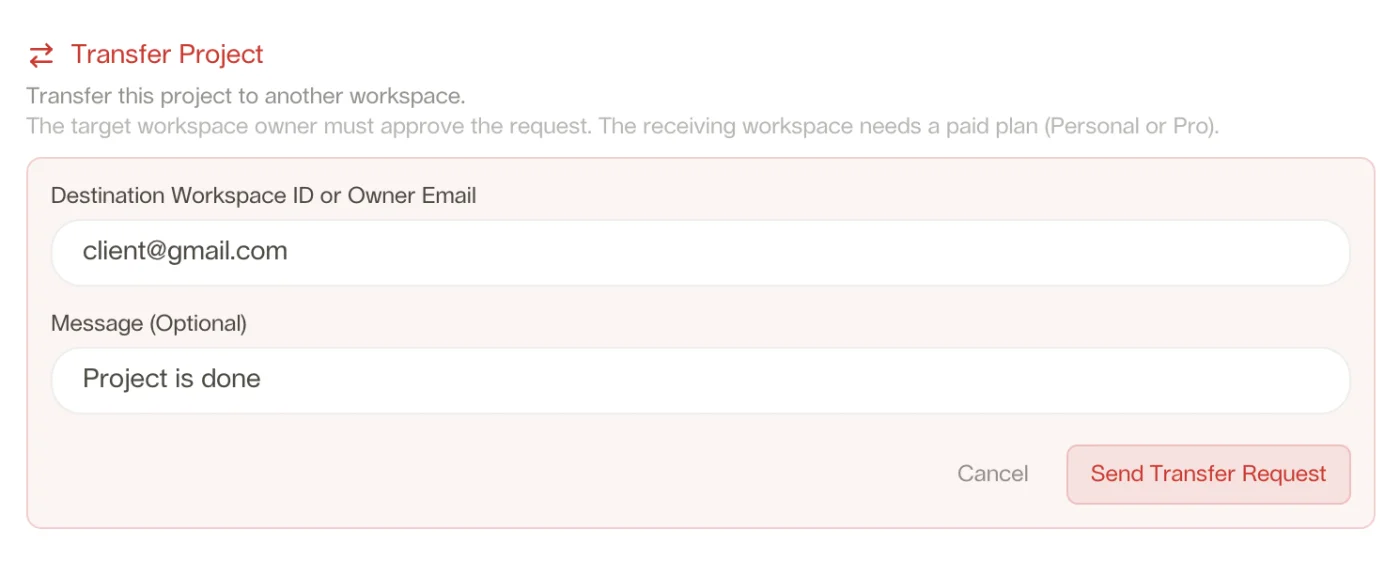
If you build sites for others, this one is for you: you can transfer a project to your client's Looops account. They get full ownership of the site, the content and the billing, and you move on to the next build.
Your client approves the transfer from their side, so nothing moves without both of you agreeing, and any paid Looops plan can receive it. If client work is your business, see Looops for agencies and the full client workflow guide.
Also new, in one breath
A few more things that landed alongside the big ones:
- Attach files in chat: drop in a logo, a document, or even code, and the builder uses it directly.
- The asset manager grew up: your files now live in folders with real names, and you can move things around.
- We published research: we studied 2,626 real small-business websites, and one in three has a serious defect. Read the study.
Fixed and hardened
Reliability work rarely gets announcements, but it is half of what we shipped this summer, so it gets a section:
- Images always land: generated images are verified into your project, and a failed generation is never charged.
- No more freezes: mid-build stalls and hangs were hunted down one by one, and slow AI models now fail over automatically.
- The builder sees your screen: errors that only showed in the browser now reach the builder, and it fixes them itself.
- Refresh-proof builds: reload the page mid-build and you reconnect to the running agent, nothing lost.
- Plain-language publish errors: when a publish fails, you are told what happened in words, not logs.
- Out of credits, clearly: the builder tells you in chat and shows your options, instead of going quiet.
See it all in one build
Describe your site in a sentence. Watch the design, the pages, and the working parts appear.
Free plan available, no card required
Frequently Asked
Questions.
Keep reading
Ready to build your website?
Describe what you want and Looops builds it. Free to start, no card required.
Start building free